Create an Attestation
Attestations are created through a registered portal, not by calling AttestationRegistry directly as an end-user.
Portal interface
AbstractPortalV2 exposes:
function attest(AttestationPayload memory attestationPayload, bytes[] memory validationPayloads) public payable;
Payload shape:
struct AttestationPayload {
  bytes32 schemaId;
  uint64 expirationDate;
  bytes subject;
  bytes attestationData;
}
validationPayloads contains one extra payload per module in the portal's module chain.
| Field | Type | Meaning |
|---|---|---|
schemaId | bytes32 | Registered schema used to interpret the payload |
expirationDate | uint64 | Expiry timestamp, or 0 for no expiry |
subject | bytes | Address, attestation ID, DID, URI, or other identifier |
attestationData | bytes | Encoded payload that matches the schema |
Registry checks
When the portal forwards the request, AttestationRegistry checks:
- the schema exists;
subjectis not empty;attestationDatais not empty;- the caller is a registered portal.
SDK
await veraxSdk.portal.attest(
  "0xPortalAddress",
  {
    schemaId: "0xSchemaId",
    expirationDate: 0,
    subject: "0xRecipientAddress",
    attestationData: [{ isExample: true, score: 7 }],
  },
  [],
  { waitForConfirmation: true },
);
Explorer or manual contract call
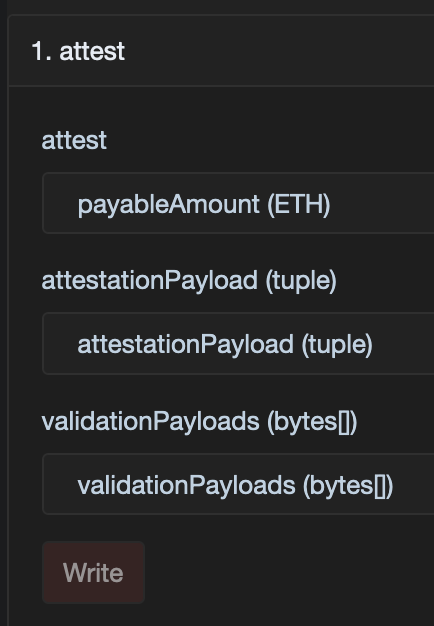
Example explorer form for calling attest on a portal contract.
- Open your portal contract in the network explorer.
- Go to the write interface for that portal contract.
- Call
attest(attestationPayload, validationPayloads). - Read the emitted
AttestationRegistered(attestationId)event if you need the new ID.
warning
Use the portal address itself here, not the registry address.
Notes
attestationIdis generated by the registry and includes the chain prefix.subjectis raw bytes, so it can be an address, an attestation ID, or another identifier.- For offchain payloads over IPFS, prefer Offchain Payloads.